
Mejor para :Creación de contenidos generales y tutoriales.
Aiseesoft Screen Recorder
 100% Seguro. Sin anuncios.
100% Seguro. Sin anuncios.
Al crear contenido de alta definición, ya sea para tutoriales, juegos o presentaciones profesionales, contar con el grabador de pantalla adecuado es crucial. La verdadera calidad de alta definición es fundamental porque garantiza que cada detalle se capture con precisión, brindando a los espectadores una experiencia nítida e inmersiva. Las grabaciones de video con alta tasa de bits, si bien son visualmente impactantes, también pueden consumir muchos recursos del sistema si no se gestionan correctamente. Esta guía explora las mejores opciones. Herramientas de grabación de pantalla HD para PC, Mac y dispositivos móviles, equilibrando calidad, rendimiento del sistema y facilidad de uso.
| Producto | Sistema apoyado | FPS máx. | Pistas de audio separadas | Con marca de agua / Límite de tiempo | Anotaciones (en tiempo real) | Parada automática / Programador de tareas | Formatos de salida |
| Aiseesoft Screen Recorder | Ganar, Mac | 120 | Sí (micrófono y sistema) | Sí (Prueba) / No (Pro) | Sí (kit de herramientas completo) | Sí (incorporado) | MP4, WEBM, F4V, GIF, WMV, MOV, AVI, etc. |
| OBS Studio | Ganar, Mac, Linux | 120+ | Sí (hasta 6 pistas) | No | A través de complementos/fuentes | No (Manual/Scripts) | MKV, MP4, MOV, FLV, TS |
| Bandicam | Windows | 480 | Sí (.wav separado) | Sí (Prueba) / No (Pro) | Sí (Dibujo/Flechas) | Sí (incorporado) | MP4, AVI |
| QuickTime Player | Mac | 60 | No (predeterminado) | No | No | No | MOV |
| ShareX | Windows | 60 | No | No | Sí (Herramientas robustas) | No | MP4, AVI, WebM, GIF |
| Grabadora V | Android, iOS | 60 | No | Sí (Prueba) / No (Pro) | Sí (Pincel mágico) | No | MP4 |
| Grabadora AZ | Android, iOS | 60 | No | Sí (Prueba) / No (Pro) | Sí | No | MP4 |
| cuerda natural | Win, Mac, Chrome | 60 | No | Sí (Prueba) / No (Pro) | Sí (Herramientas de dibujo) | No | MP4 |
| Screencastify | Extensión de Chrome | 60 | No | Sí (Prueba) / No (Pro) | Sí (Enfoque/Lápiz) | No | MP4, WebM |
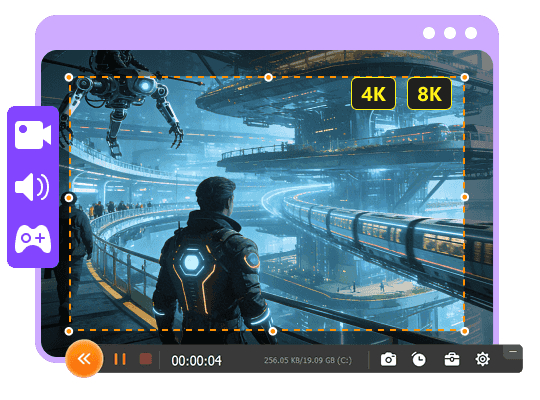
Aiseesoft Screen Recorder Es una herramienta versátil que ofrece el equilibrio perfecto entre una salida de video de alta calidad y una carga mínima del sistema. Ya sea que esté grabando juegos, seminarios web o tutoriales, Aiseesoft proporciona videos claros y nítidos sin afectar el rendimiento de su computadora. Es una opción fácil de usar que funciona a la perfección tanto en Windows como en Mac.
100% Seguro. Sin anuncios.
100% Seguro. Sin anuncios.
Mejor para :Creación de contenidos generales y tutoriales.
Calificación
Ventajas
Desventajas
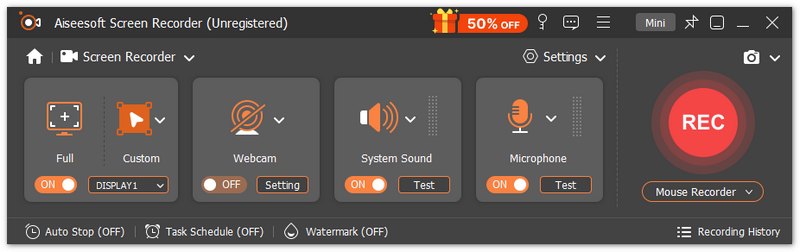
Aiseesoft Screen Recorder ofrece grabaciones de alta calidad (hasta 4K) sin marcas de agua ni límites de tiempo. Permite la separación de audio (pistas del sistema y del micrófono), lo que lo hace ideal para creadores de contenido. Es una herramienta fiable y eficiente para obtener vídeos claros y nítidos sin comprometer el rendimiento del sistema.
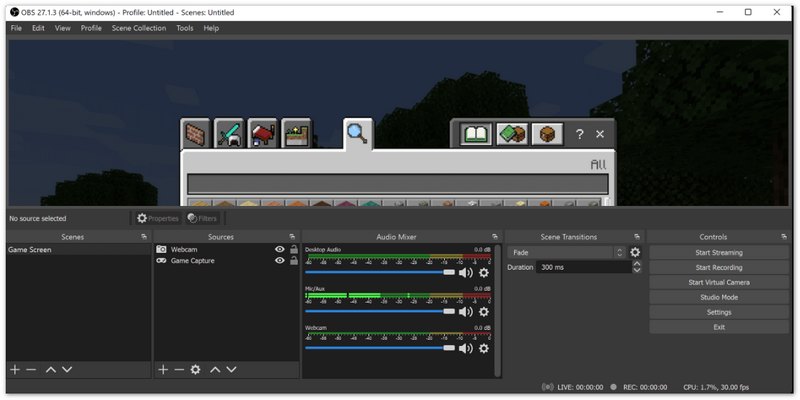
OBS Studio es un potente software gratuito y de código abierto, perfecto para usuarios avanzados que necesitan control total sobre sus grabaciones. Conocido por su capacidad para transmitir en vivo y grabar en alta definición, OBS permite personalizar la resolución, el tamaño del lienzo y mucho más. Aunque su curva de aprendizaje es más pronunciada, es ampliamente utilizado por profesionales.
Mejor para :Usuarios avanzados, streamers y creadores de contenido que necesitan personalización.
Calificación
Ventajas
Desventajas
Ideal para usuarios avanzados, OBS Studio es elogiado por su capacidad de personalización y naturaleza de código abierto, pero su pronunciada curva de aprendizaje y su naturaleza intensiva en recursos pueden ser un desafío para los principiantes.
Bandicam Es una excelente herramienta de grabación de pantalla que destaca por su alta calidad con archivos de tamaño mínimo. Es especialmente popular entre los gamers por su capacidad para grabar videos con alta tasa de bits y altas velocidades de fotogramas (hasta 120 fps) con un bajo consumo de CPU.
Mejor para :Juegos y tutoriales que requieren tamaños de archivo más pequeños.
Calificación
Ventajas
Desventajas
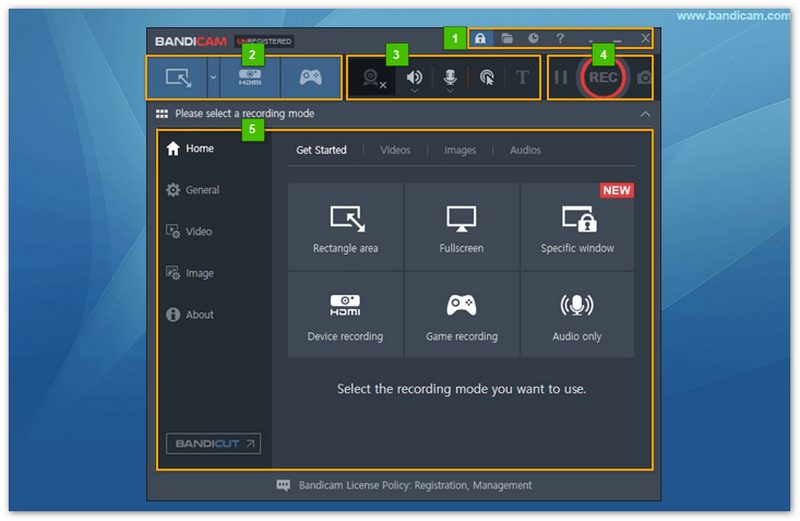
Muy valorado por su rendimiento liviano y soporte de alta velocidad de cuadros, Bandicam se destaca en la grabación de juegos fluidos, pero su versión gratuita con marca de agua y la falta de herramientas de edición avanzadas son inconvenientes.
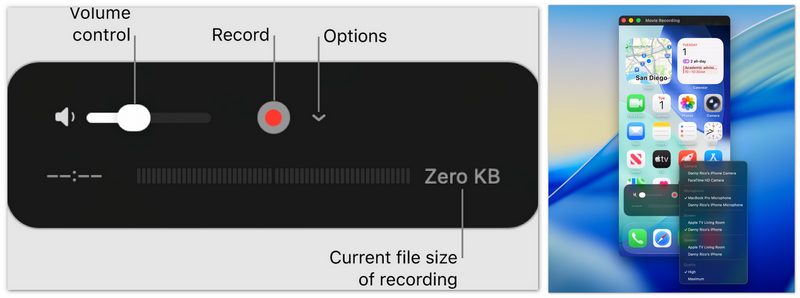
Para usuarios de Mac, QuickTime Player Ofrece una solución sencilla y gratuita para grabar la pantalla. Si bien no cuenta con las funciones avanzadas de las opciones premium, QuickTime es perfecto para grabaciones de pantalla básicas cuando no se necesitan ediciones ni efectos complejos.
Mejor para :Necesidades básicas de grabación de pantalla en Mac.
Calificación
Ventajas
Desventajas
Popular por su simplicidad y coste cero, QuickTime es perfecto para grabaciones básicas, pero carece de funciones avanzadas y herramientas de edición, lo que limita su atractivo para los profesionales.
ShareX Es una herramienta de código abierto diseñada para usuarios que desean una personalización completa de sus grabaciones de pantalla. Es perfecta para usuarios avanzados que necesitan grabar videos de alta calidad y subirlos instantáneamente a servicios en la nube.
Mejor para :Usuarios avanzados que necesitan una amplia personalización y cargas rápidas
Calificación
Ventajas
Desventajas
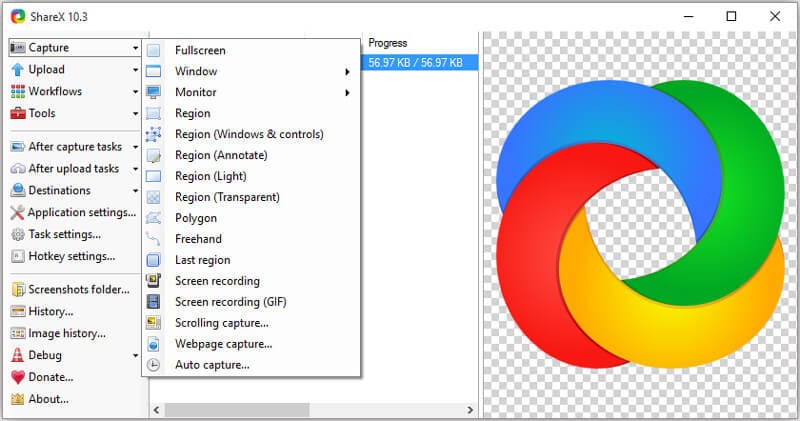
ShareX se destaca por su amplia personalización y potentes funciones de captura de pantalla, pero su interfaz compleja y la falta de herramientas de edición integradas lo hacen menos amigable para principiantes.
V Recorder es una solución integral de grabación de pantalla para usuarios móviles. Está diseñada para capturar video de alta definición, incluyendo juegos móviles, sin límites de tiempo ni marcas de agua, lo que la convierte en la opción perfecta para creadores de contenido móvil.
Mejor para :Creadores de vídeos móviles y jugadores ocasionales.
Calificación
Ventajas
Desventajas
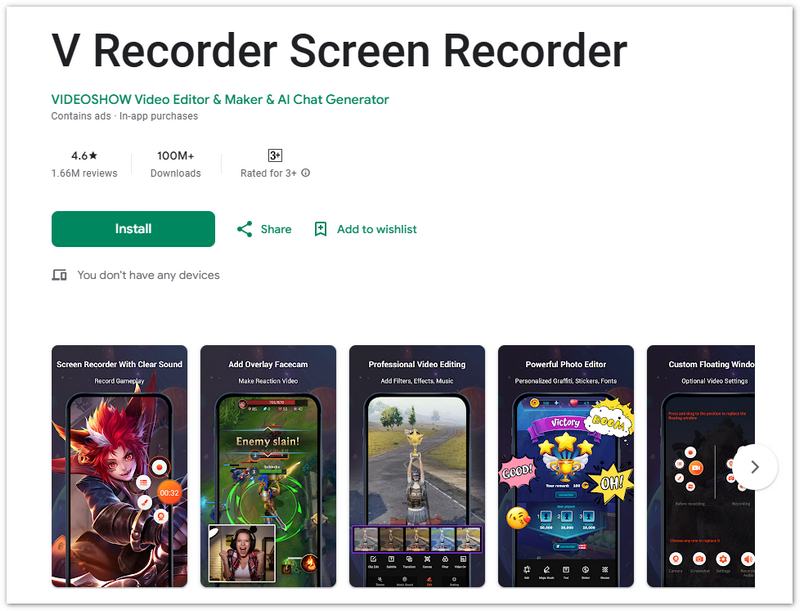
Apreciado por sus grabaciones fluidas a 60 fps y su facilidad de uso, V Recorder es ideal para usuarios móviles, aunque la versión gratuita incluye anuncios y carece de configuraciones avanzadas.
AZ Recorder ofrece una excelente grabación de juegos móviles de hasta 60 fps. Está diseñada para minimizar el retardo y ofrecer grabaciones de alta calidad, lo que la convierte en una opción popular entre los jugadores móviles.
Mejor para :Jugadores móviles que buscan vídeos fluidos y de alta calidad.
Calificación
Ventajas
Desventajas
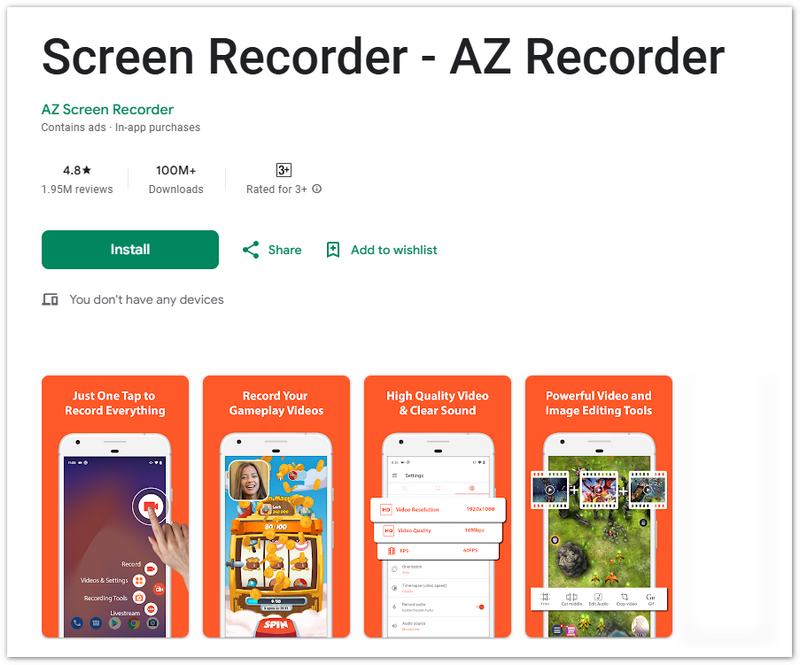
AZ Recorder es conocido por su grabación fluida de juegos a 60 fps, su interfaz simple y sin marcas de agua resulta atractiva para los jugadores móviles, pero la versión gratuita tiene anuncios y carece de funciones avanzadas.
cuerda natural Es una extensión de Chrome fácil de usar, ideal para grabar pantalla rápidamente y compartirla al instante. Perfecta para equipos y personas que necesitan capturar y distribuir contenido rápidamente sin configuraciones complejas.
Mejor para :Grabación y compartición de vídeos de forma rápida.
Calificación
Ventajas
Desventajas
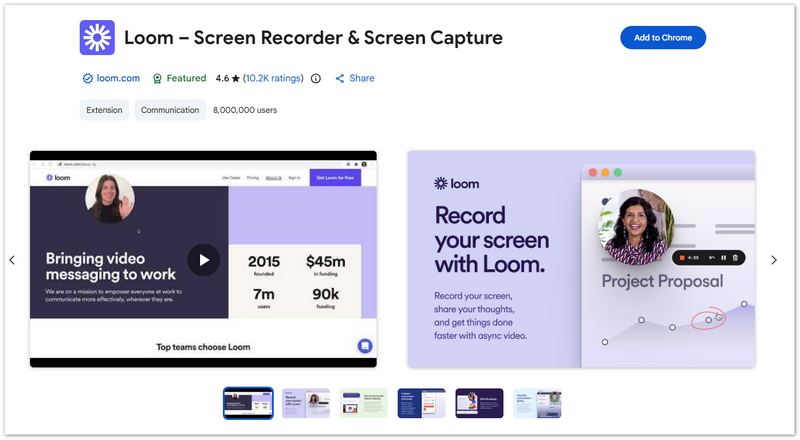
Ideal para grabaciones rápidas y compartir fácilmente, Loom es popular para uso profesional, pero su límite de tiempo en la versión gratuita y la falta de herramientas de edición limitan su funcionalidad para proyectos detallados.
Screencastify es otra extensión de Chrome fácil de usar, perfecta para grabaciones rápidas y compartir contenido en la nube. Es ideal para educadores, profesionales y cualquier persona que necesite compartir contenido al instante.
Mejor para :Educadores y profesionales que necesitan grabaciones de pantalla rápidas y sencillas.
Calificación
Ventajas
Desventajas
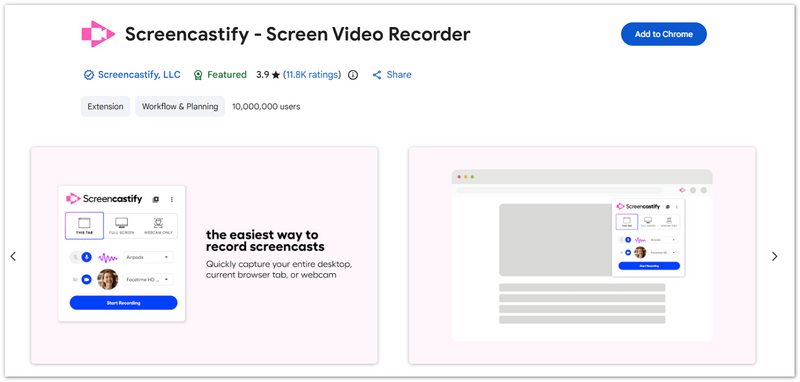
Ideal para videos rápidos y compartibles, Screencastify es el preferido por educadores y profesionales, pero está limitado por un tiempo de grabación restringido y requiere una conexión a Internet para las cargas.
¿Es posible grabar una parte específica de la pantalla?
Sí, muchos grabadores de pantalla te permiten elegir un área de grabación personalizada en la pantalla, ya sea la pantalla completa, una ventana o una región específica. Esto es útil cuando solo quieres capturar una parte de la pantalla.
¿Puedo utilizar un grabador de pantalla HD para realizar streaming?
Sí, algunos grabadores de pantalla HD (como OBS Studio) están diseñados específicamente tanto para grabar como para transmitir en vivo, y ofrecen funciones sólidas para los streamers.
¿Cómo puedo evitar retrasos durante la grabación de pantalla HD?
Para minimizar el retraso, asegúrese de que su computadora tenga suficiente capacidad de hardware (especialmente CPU, RAM y GPU), cierre los programas innecesarios que se ejecutan en segundo plano y reduzca la resolución de grabación si es necesario. También podría necesitar ajustar la configuración de grabación según el rendimiento de su dispositivo.
Conclusión
Al seleccionar el El mejor grabador de pantalla HD Para PC, Mac o dispositivos móviles, considere sus necesidades de grabación. OBS Studio y Aiseesoft Screen Recorder son excelentes para obtener resultados de alta calidad y personalización avanzada. Bandicam ofrece una compresión eficiente, ideal para gamers. QuickTime Player es una opción gratuita y sencilla para usuarios de Mac. V Recorder y AZ Recorder son ideales para grabar partidas de juego fluidas en dispositivos móviles, mientras que Loom y Screencastify destacan por su rapidez en grabaciones y compartición instantánea. Elija la herramienta adecuada para capturar vídeo de alta definición con claridad y rendimiento para su creación de contenido.
 Fácil de convertir video HD y editar efectos de video HD
Una guía le indica cómo convertir y editar video HD. Descarga gratis este HD Converter para convertir HD MTS, HD TS, HD M2TS, HD MP4, etc.
 Los 5 mejores reproductores de video HD para Windows 10/7/8/XP y Mac [Descarga gratuita]
¿Cuál es el mejor reproductor de video HD? Esta publicación enumera las 5 mejores aplicaciones de reproducción de video Full HD (reproductor de video de 1080p/720p) para ayudarlo a reproducir archivos multimedia en computadoras con Windows 10/7/8/XP y Mac con una excelente experiencia visual.
 2025 Los 5 mejores reproductores de MP3 portátiles para comprar (tan bajo como $ 45)
¿Qué factores han hecho de un reproductor de MP3 uno de los mejores? Lea este artículo y conozca los 5 mejores reproductores de música MP3 en 2025 y sus secretos.
Software de grabación de pantalla
Screen Recorder CamtasiaScreen Recorder ispringCualquier grabadora de videoGrabación de pantalla OBSScreen Recorder IceCreamScreen Recorder HDScreen Recorder sin retrasoGrabador de pasos de WindowsScreen Recorder de acciónScreen Recorder con FacecamScreen Recorder de AdobeGrabadores de ratón y tecladoScreen Recorder de código abiertoScreen Recorder MP4Grabadora de escritorio MediasiteGrabador AVI gratuitoGrabador WMVGrabadora FLVGrabador MKVGrabadora MOVGrabador WEBMGrabador MXFGrabadora XviDGrabador MPEG
Aiseesoft Screen Recorder es el mejor software de grabación de pantalla para capturar cualquier actividad como videos en línea, llamadas de cámara web, juegos en Windows/Mac.
100% Seguro. Sin anuncios.
100% Seguro. Sin anuncios.

*Campo requerido
*Por favor ingrese un correo electrónico válido